See the usage.
Control the budget.
Recover the cost.

Knowing what was printed is the first step. SAFEQ Cloud Pro takes you further. It keeps print within a limit, then recovers the cost from the people behind it.

Try it yourself
See Control Recover

Available

Available

Available with PayPal

ysoft icon_circle_positive_Credit and Billing 3. Recover from users

Payment System Integrations: Users pay for what they print. More payment providers will be added.

Coming later

ysoft icon_circle_positive_User at Printer 4. Recover from projects

Billing Codes: Charge print to a client, project, or grant, no matter who printed.

HIDDEN UNTIL VIDEO IS READY (No more than 70 characters)

30-35 word description: Be concise - Only give what the reader needs to understand what this feature is; Use action verbs, active voice, and present tense. Options: Paragraph + icons or remove icons and use checkmarked benefit list.

ysoft icon_circle_positive_Reporting

High-level summaries

Easy to use

Intuitive data drill-down

ysoft icon_circle_positive_Dollar Increase

Up-to-date usage data

World

Localized reporting

Calendar

Scheduled reports

Trusted by 1+ million users in 53 countries around the world

Balance & Quotas

Budgets you set once.

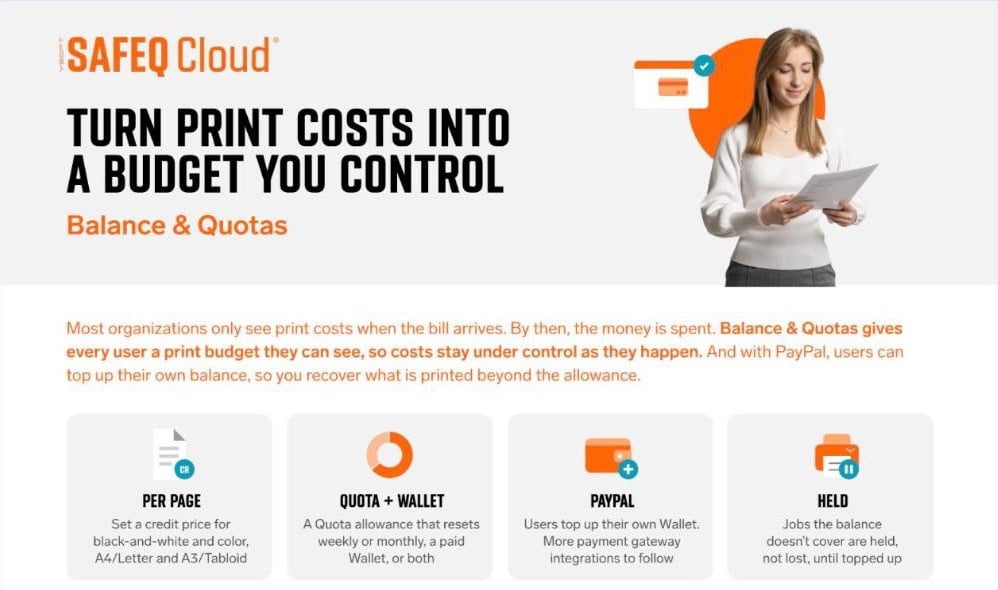
SAFEQ Cloud Pro lets you decide how much can be printed, and by whom, before the money is spent.

  • A price per page in credits, by color and paper size
  • A weekly or monthly Quota, a paid Wallet, or both
  • Credit policies for each user group
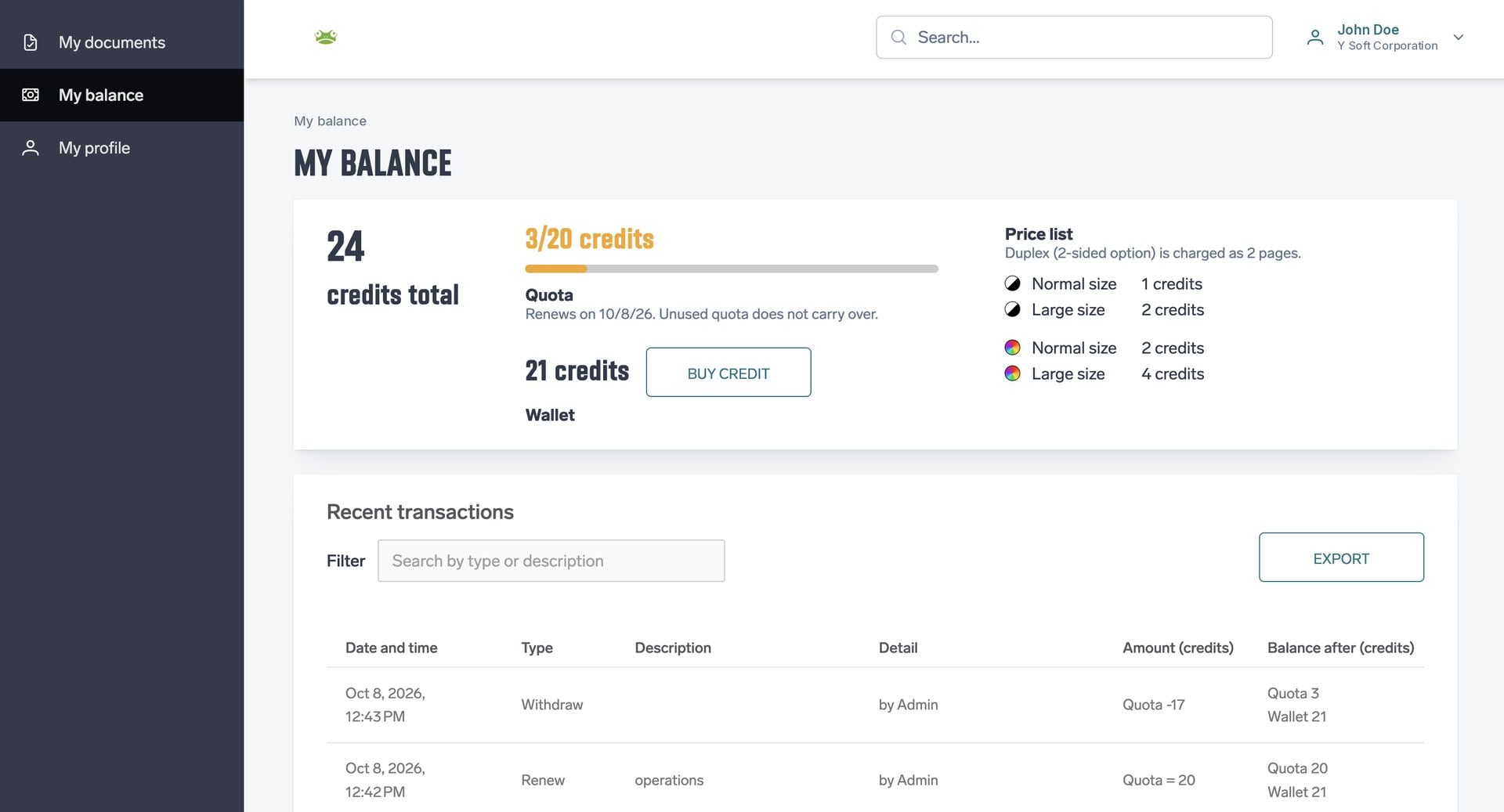
  • The balance on the My Balance page, at Cloud terminals, and in the PC Client
  • Jobs held, not deleted, until the balance is topped up
  • Top-ups, withdrawals, and a full transaction history

Payment System Integrations

Users top up.
You recover the cost.

Some organizations want users to pay for what they print beyond their allowance. With PayPal, users top up their own Wallet. Payments go through PayPal, so SAFEQ Cloud never holds the money.

  • No cash at the IT desk, no manual chargebacks
  • Admins only step in for exceptions
  • Admins can still top up or withdraw credit at any time

Who it's for

Education - no circle

Schools and universities

A print budget for each class or year group. Students top up with PayPal when they need more.

companies - no circle

Company departments

A print budget for each team that resets every month, so print costs stay predictable.

Libraries - no circle

Libraries and coworking spaces

Visitors and members pay for what they print, with no cash desk to run.

Predictable costs, simple setup, clear balances

For finance

Control print costs,
then recover them

Print costs you can see and plan for. Budgets for each group, changed at any time.

For IT

Configured once,
running today

All set up in the SAFEQ Cloud Web UI, with no extra server or tool to run.

For users

No surprises
at the printer

See your balance before you print, and top up yourself with PayPal.

Got questions? We've got answers!

Common questions about Balance & Quotas in SAFEQ Cloud.

What is Balance & Quotas?

Balance & Quotas is part of SAFEQ Cloud Pro. Your IT team sets print allowances for users or groups. It shows how much is used, and warns or blocks printing when a limit is reached.

Which licenses include Balance & Quotas?

Balance & Quotas, with PayPal top-ups, is included with SAFEQ Cloud Pro licensed devices. It is not part of SAFEQ Cloud Breeze.

Which printers and terminals are supported?

Users see their balance on Cloud terminals and get a warning in the PC Client when their balance can't cover a job. Secure print is checked against the balance on Konica Minolta, Ricoh, Canon, Xerox, Fujifilm and Sharp cloud terminals. Direct print is checked too, with the current SAFEQ Cloud Client. HP support is coming. Copy support varies by terminal, and scan and fax jobs are not charged. See the full table in the documentation.

What happens when the balance runs out?

The job is held, not deleted. Once the user tops up, or an admin adds credit, the user releases the job as usual. The PC Client warns users before they send a job their balance can't cover.

Can different groups have different rules?

Yes. Credit policies set the balance type, starting credit, and reset schedule for each user group. Each user gets the first policy that matches their group, and everyone else gets the default policy.

Does unused Quota carry over?

No. The Quota resets on its weekly or monthly schedule, and unused Quota does not carry over. Credit in the Wallet stays until it is used.

What if a user needs more than their allowance?

Users can top up their own Wallet with PayPal. An admin can also add credit at any time, without changing the policy.

Can finance get access without full admin rights?

Yes. Access to the Balance administration options can be given separately from full admin permissions.

Does SAFEQ Cloud store payment data?

No. Users pay on PayPal's own pages. SAFEQ Cloud never holds the money. It only keeps track of each user's balance in credits.

What's coming next?

More payment providers will be added. Billing codes are coming later, so you can charge print to a client, project, or grant, no matter who printed.

LEARN MORE

SAFEQ Cloud My Balance page showing the Quota, Wallet credits, price list and recent transactions

Balance & Quotas with PayPal

Read more
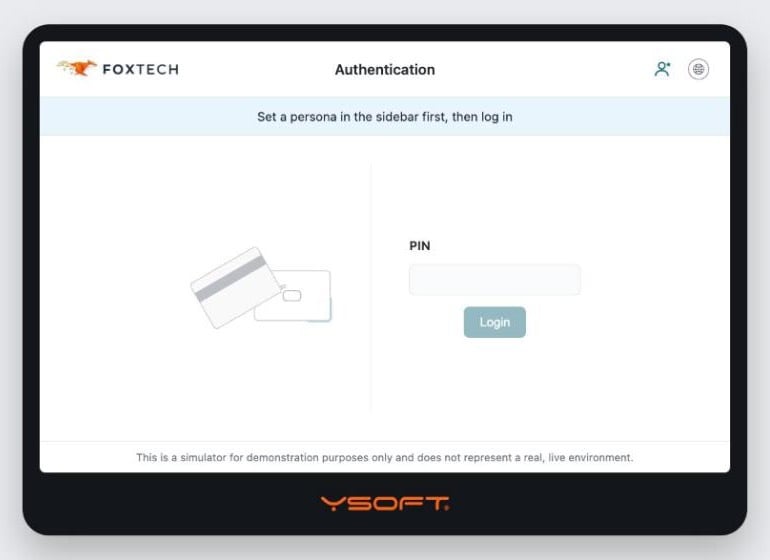
SAFEQ Cloud Simulator start screen on a tablet, showing the FoxTech login

SAFEQ Cloud Simulator

Try it yourself
Two colleagues reviewing information on a computer screen at a shared desk

Balance in the SAFEQ Cloud documentation

Read more