New Feature
 Security
SEE > CONTROL > RECOVER
Most organizations only see print costs when the bill arrives. By then, the money is spent. In release 2026.10.29, SAFEQ Cloud Pro gets Balance & Quotas. Every user gets a print budget they can see, so costs stay under control as they happen. And with PayPal, our first payment integration, users top up their own balance. You recover print costs from users. No cash at the IT desk, no manual chargebacks.
⚙️ PRINT BUDGETS YOU SET ONCE
Reporting tells you what was printed. Balance & Quotas lets you decide how much can be printed, by whom, before the money is spent.
It's all set up in the SAFEQ Cloud Web UI, with no extra server or tool to run:
-
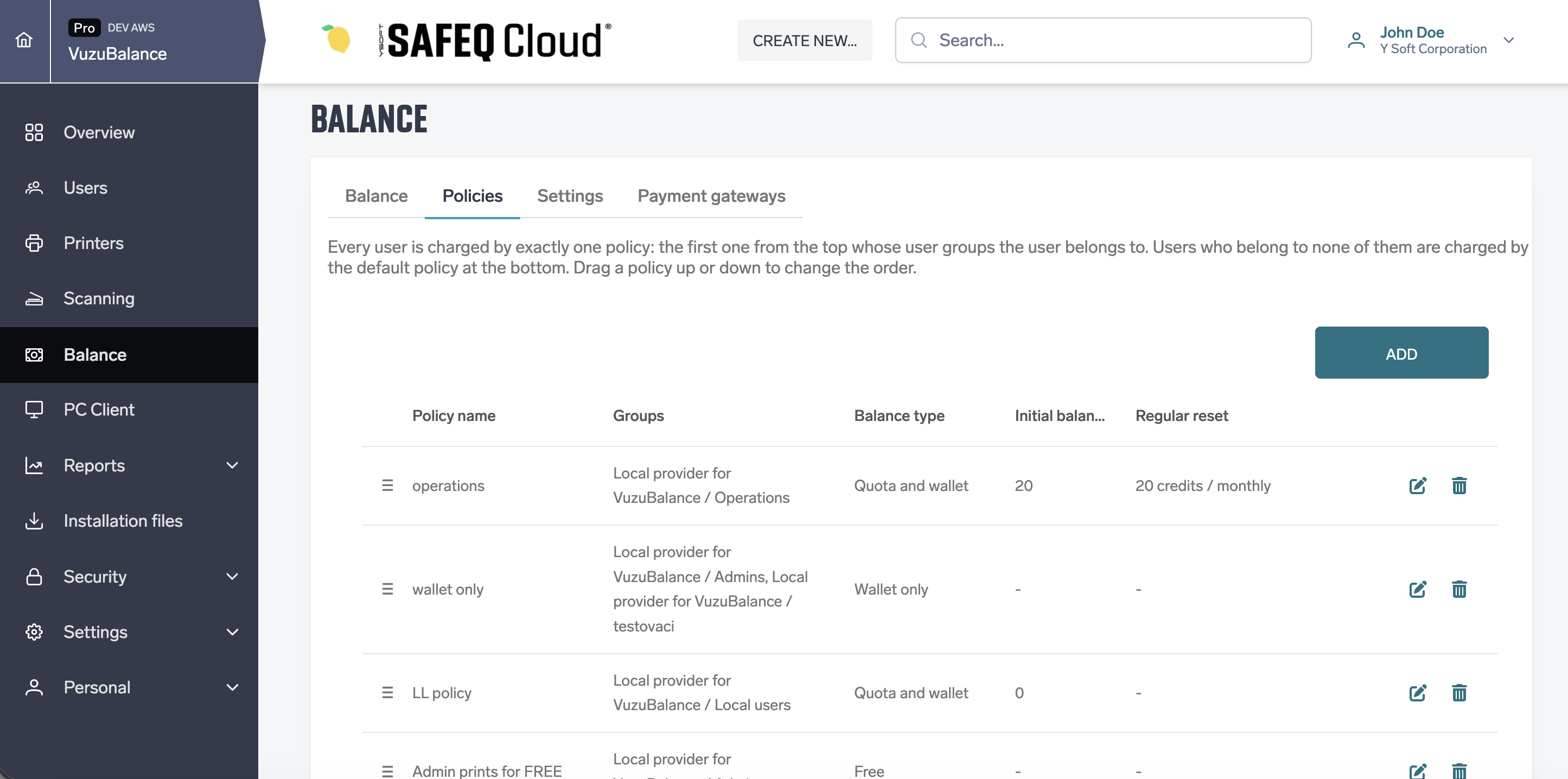
Set a price per page for black-and-white and color, on A4/Letter and A3/Tabloid
-
Give users a Quota allowance that resets automatically, weekly or monthly
-
Give users a paid Wallet, or combine both. The Quota is always used first
-
Use credit policies to set the balance type, starting credit and reset schedule for each user group
-
Top up or withdraw credit at any time, and review every user's transactions
Need different rules for different people? Policies are checked from the top, and each user gets the first one that matches their group. Everyone else falls under the default policy.
👀 Every User Sees Their Balance
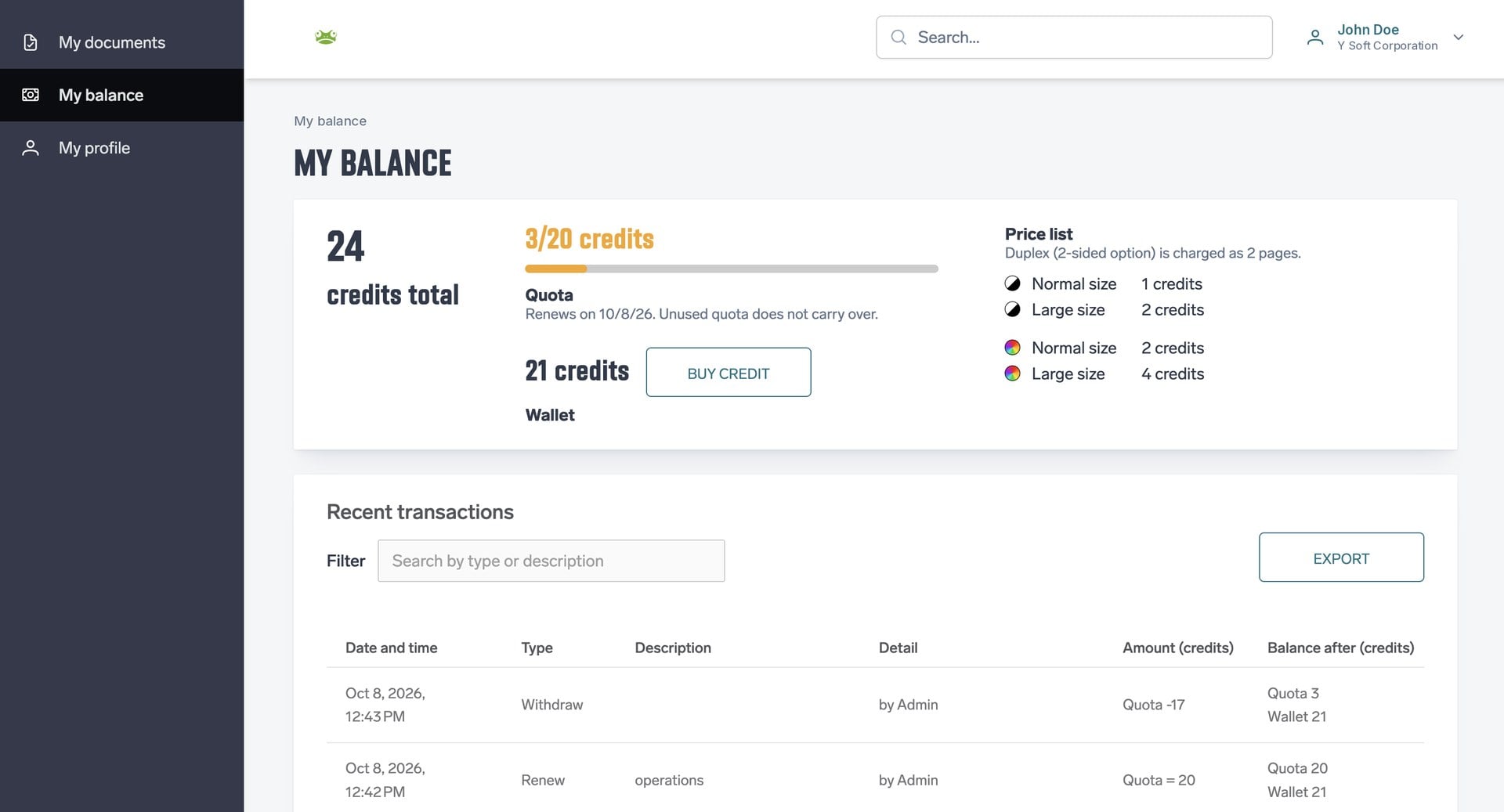
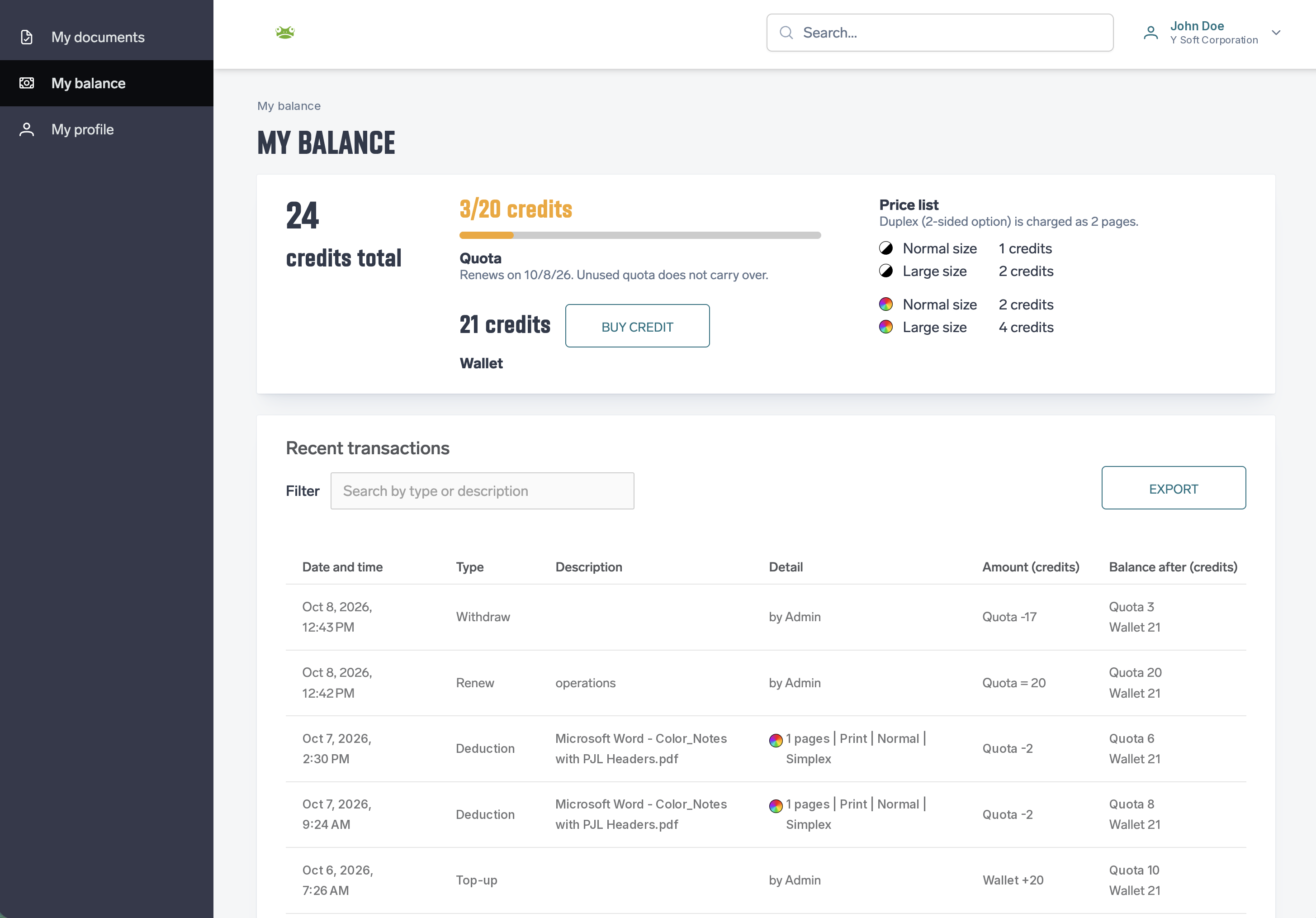
Users see their balance and the price per page before they print. So they print what they need, not more. Balance & Quotas shows the balance to every user, wherever they print:
-
My Balance page: users check their balance, prices, and transactions
-
Cloud terminals: the balance is shown right at the printer
-
PC Client: users get a warning when their balance can't cover a job
And don't worry about lost work. If a job isn't covered, it isn't deleted. It's simply held until the balance is topped up, then the user releases it as usual.
💳 Users Top Up with PayPal
Some organizations want users to pay for what they print beyond their allowance. Think students printing coursework, or members of a library or coworking space.
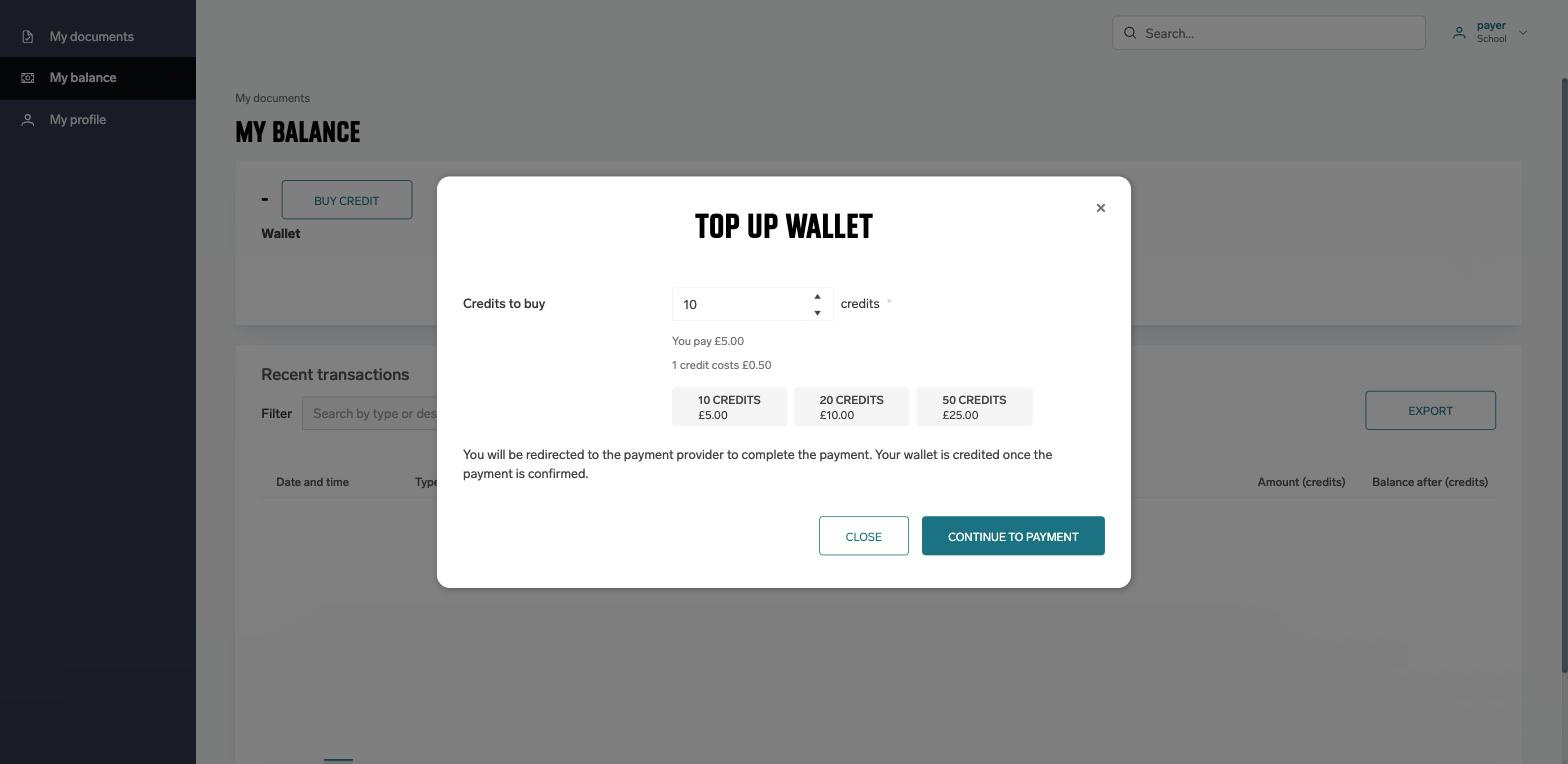
With the PayPal integration, users top up their own Wallet. Admins no longer collect cash or follow up on payments. They only step in for exceptions, and can still top up or withdraw credit whenever they need to.
PayPal handles the payments, so SAFEQ Cloud never holds the money. It simply keeps track of each user's balance.
🔜 What’s Next
This is the next step after reporting. First you see what is printed. Now you control it and recover the cost from users. More payment providers are planned, and billing codes will follow, so you can charge print to a client, project or grant.


 New Feature